Heal Release 5.4


Subject: Exciting Updates to the Heal Application


Dear Heal user,
 

Thank you for your continued support of the Heal application! We are thrilled to witness the evolution and growth of the Heal system, and we hope you are enjoying its many benefits.


We have made improvements to the prescription widget. These include optimized PDF formatting for printing prescriptions and the introduction of a ‘pack size’ option for prescribing medications.


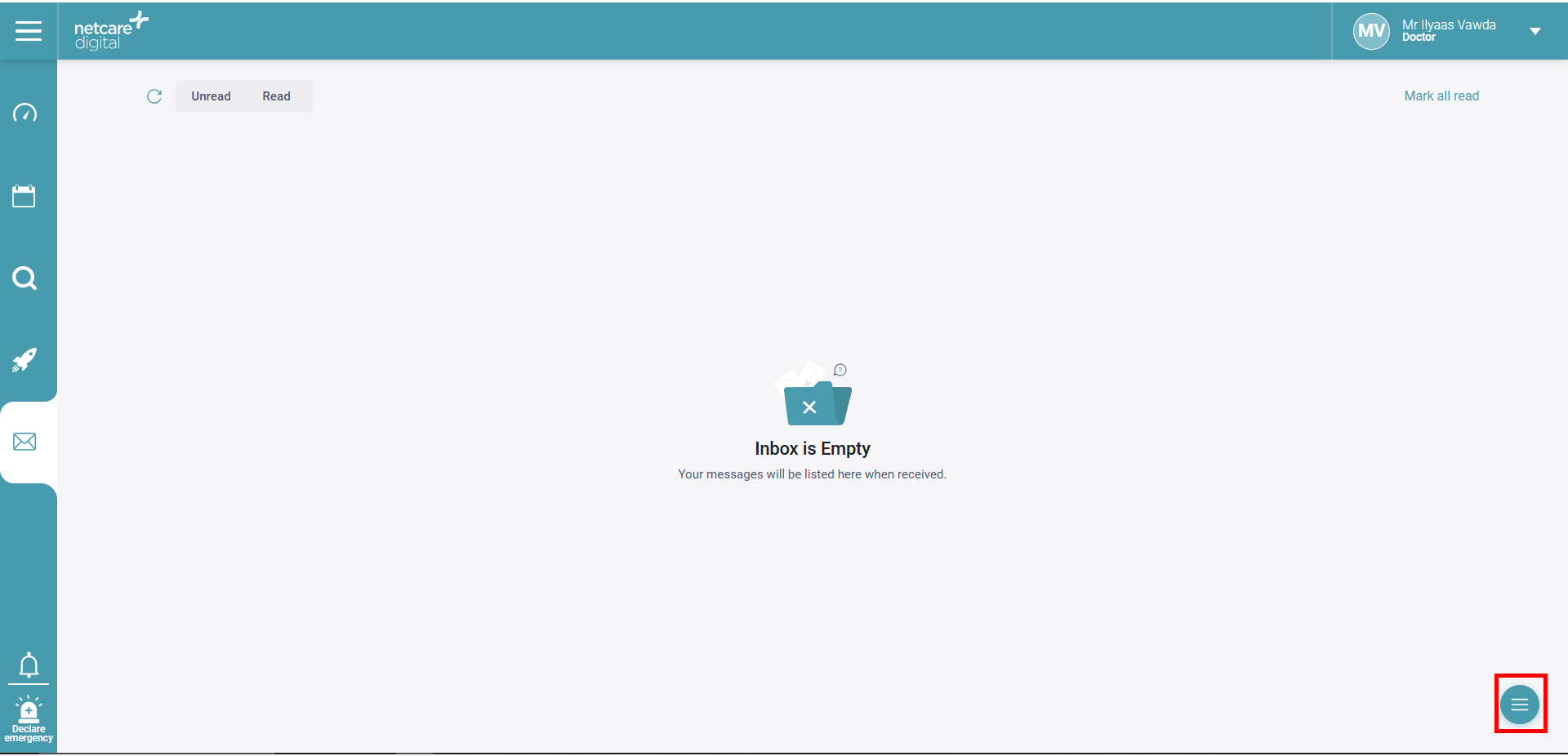
Additionally, the release sees the introduction of a new chat module to Heal, enabling better electronic communication between staff members within the same practice.


Lastly, we revamped the self-service medical history section to be more relevant. The dental history is now much more relevant to dentists.


Release date: 05/02/2025


Thank you again for your support!


Feature highlights

 Prescription Print Layout Improvements

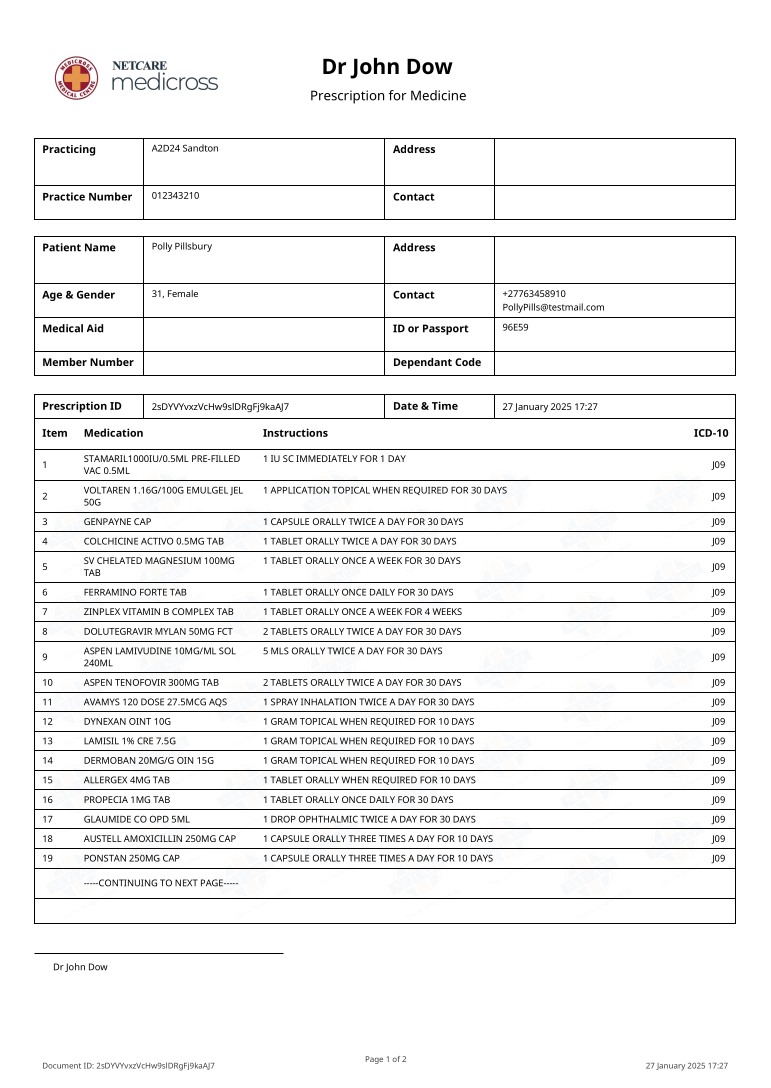
This release features fixes that reduce the size and number of pages in generated PDF prescriptions for more efficient printing. This provides an easier overview of patients’ prescription information.

Image 1: Documents are now single paged, and smaller in size.


Implementation of pack-sizing options 

In some situations, medicines require custom amounts for prescription. This release brings in a useful solution by implementing a medicine quantity system that allows doctors to either continue with the default pack size, or input a custom one.

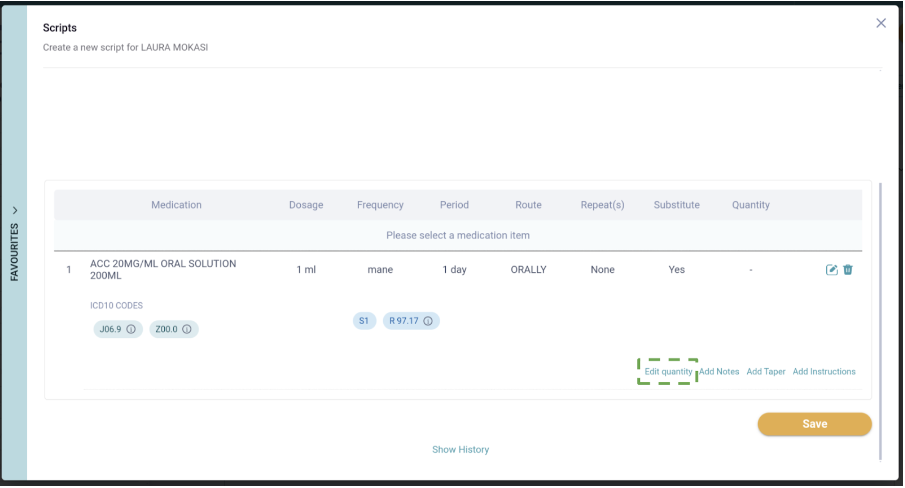
  • A populated script line can now have the pack size edited by selecting the ‘Edit Quantity’ button. 
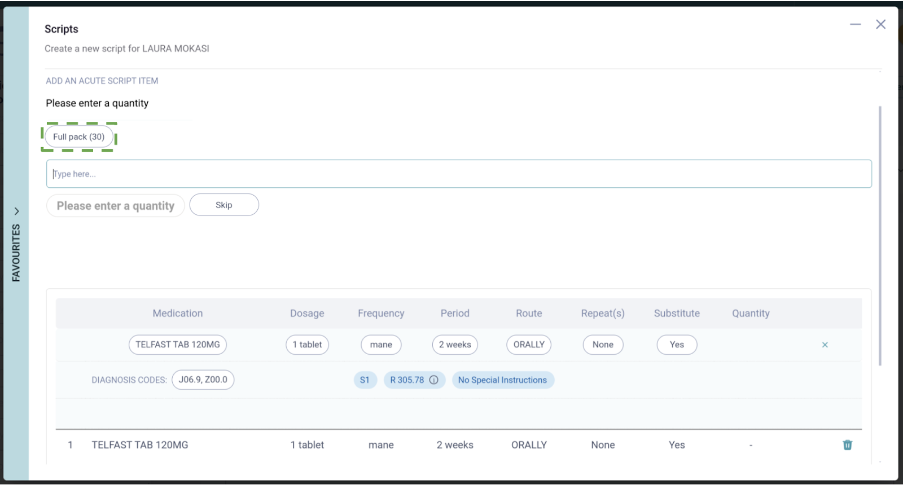
  • A quick select option to choose between the default size or entering a custom pack size was implemented to make the process fast and easy:

Image 1: Quick-access ‘edit’ button for easily changing quantity

Image 2: Default pack size is pre-chosen and function can be bypassed by selecting 'Skip'


Chat Module launch 

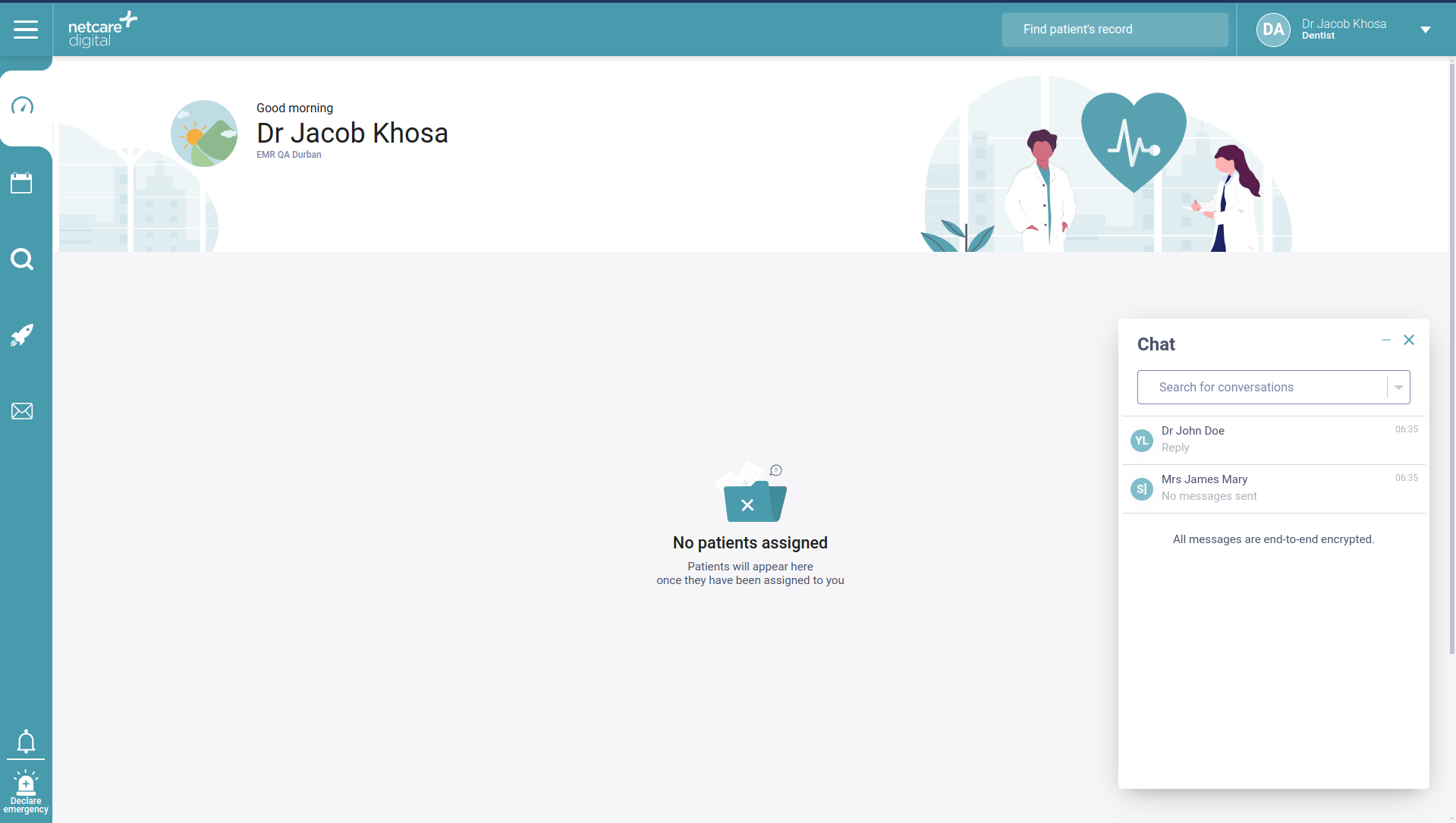
The chat module is an innovative feature designed to enable users to communicate through Heal, which simplifies communication between Heal users at your practice by replacing manual processes with a secure and efficient messaging system.

  • Practitioners and staff (e.g. reception) now have the ability to directly message one another individually through Heal

Image 1: Floating chat button to access chat functionality

  • Users have their own list of chats, and can create chats with other users at the same site

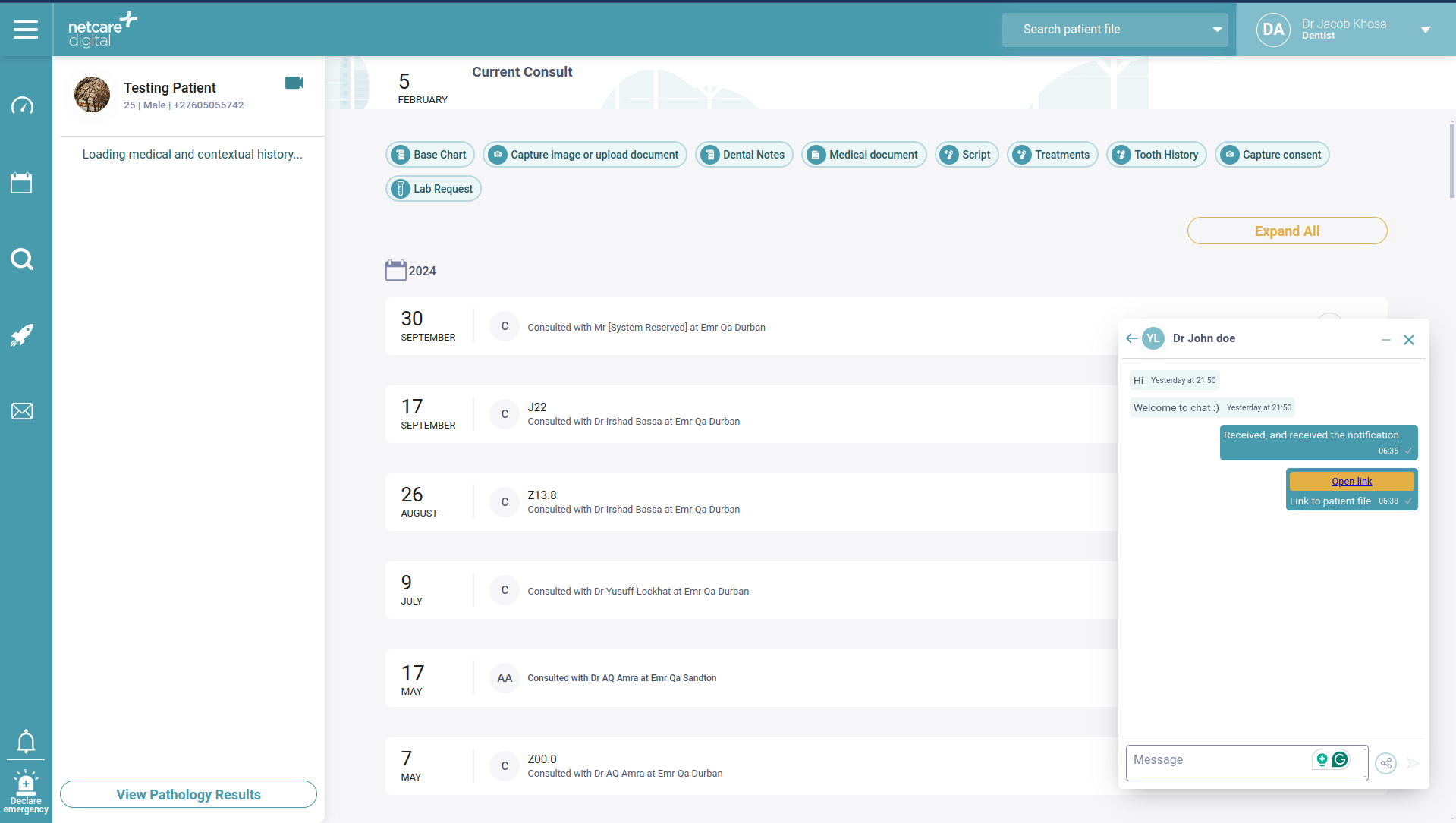
Image 2: Chat interface floats over Heal, and has a list of chats

  • Practitioners have the ability to attach links to patient files as a shortcut for easy access and sharing between other practitioners

Image 3: Shortcut link in chat for practitioners to add current patient file


Medical and contextual history and pre-visit service revamp

The enhancements to medical and contextual history and pre-visit service launched in this release ensure pre-visit processes are more clinically relevant. This is now also displayed on the left panel for more convenient viewing. 


Here is a look at some of the key changes:

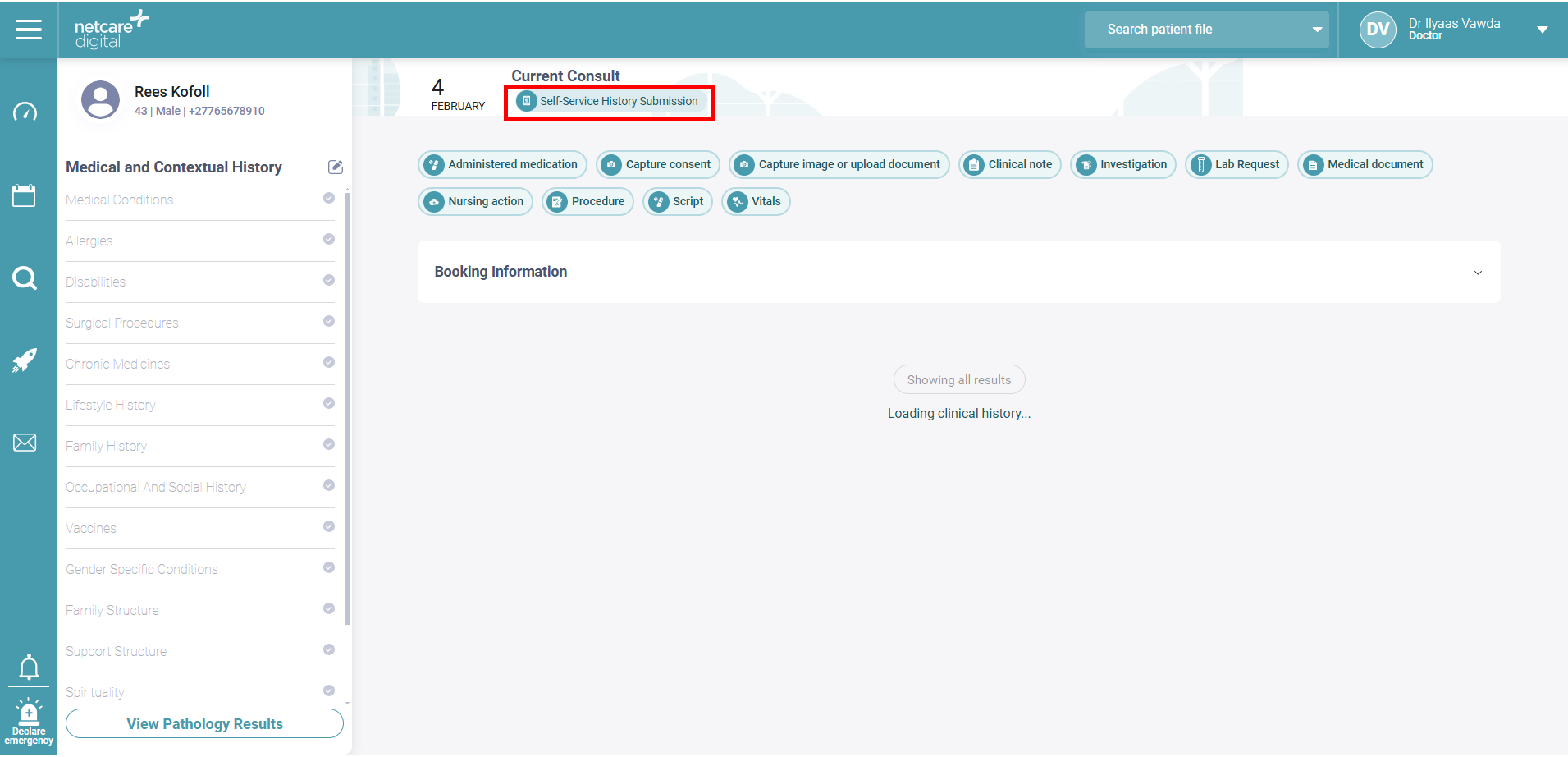
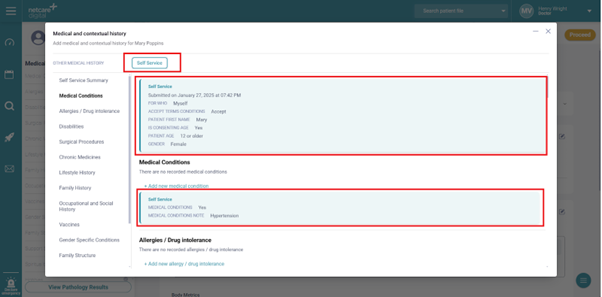
  • After being linked by reception, self-service submissions now notify the practitioner to view the submission in the medical and contextual history widget.

Image 1: Notification showing pre-assessment information is available on the patient file

Image 2: Self service information appears in medical history after being linked by reception


 Dental History update

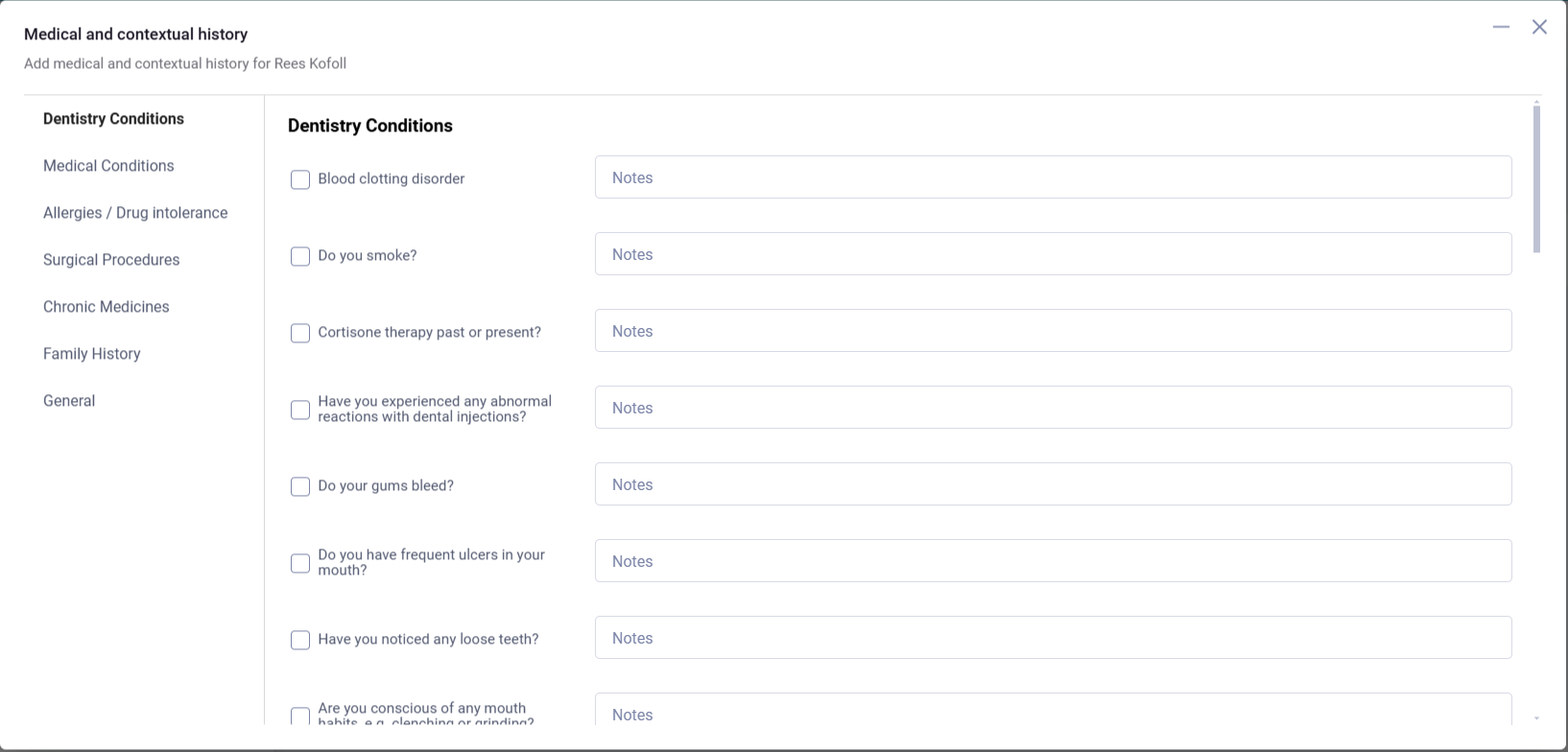
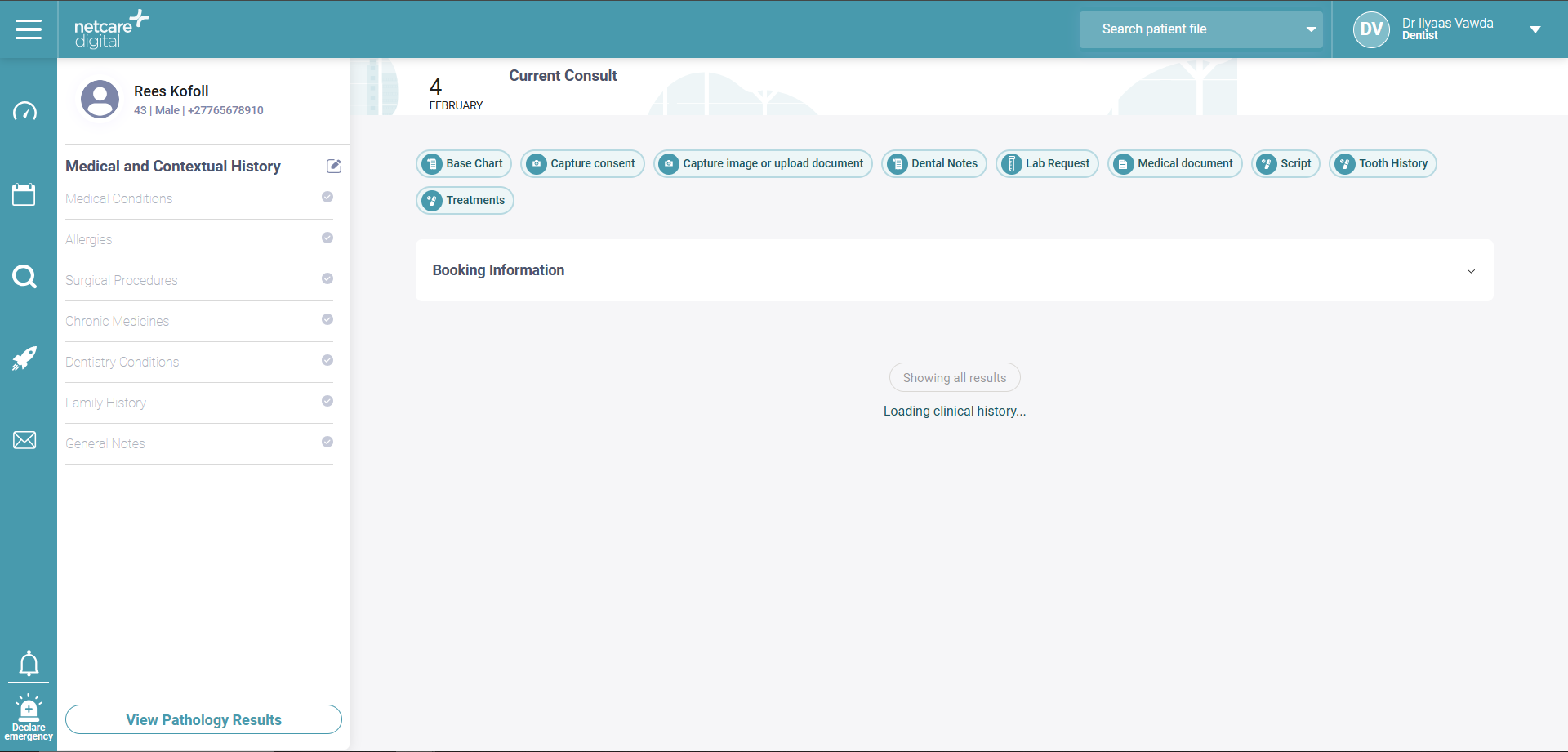
  • New Dental Conditions section for dental history populated through self-service which further enhances relevancy for dental practitioners

Image 1: Improved dental history screening

Image 2: Better relevancy for dental practises showing information in the history panel on the left